Showing posts with label Google Chrome. Show all posts

Friday, 27 March 2015

Chrome OS App Launcher To Receive Google Now Make Over


The Chrome OS App Launcher is to receive another update, after the last update that moved the start Men styled App Drawer to a more central App Launcher/Search engine will be given a splash of material design as well as get Google Now cards which until now have only been available in the Notification Centre.

Friday, 26 December 2014

Living In The Cloud: 1 Year on


After spending a year living in the Cloud it’s been a very enjoyable experience that will pobably continue for many years to come as it fits my workflow & usage 100%. As a blogger I need to work in the Cloud so it’s something that I have to do on a regular basis anyway.
{Break}
While lliving in the Cloud takes away the convenience of having locally installed applications it has ment that my Laptop bag is now smaller and lighter as I use an 11.6” Acer C720 Chromebook which has all the benifit of a Laptop in an Ultrabook format without having to pay the premium that an Ultrabook costs.

Wednesday, 4 June 2014

Teamlab Office Review

TeamLab


Teamlab Office allows you to integrate your Google Drive, OneDrive, Box & Dropbox Accounts into one simple interface and you also have the ability to edit and create Documents like you can with Google Drive & Microsoft OneDrive. Unlike Google Drive & Microsoft OneDrive you can create & edit Text Documents (Google Docs & Microsoft Word), Spreadsheets (Google Sheets & Microsoft Excel) & Presentations (Google Slides & Microsoft PowerPoint).

Teamlab is free for Personal use and via a Subscription for Enterprise use or if you need the extra features available in a Subscription, Teamlab also allows Enterprises the ability to run Teamlab on their own Personal Servers instead of on the Teamlab Servers. Teamlab is a viable alternative for someone who needs more from a Cloud Office, but it's no substitute for A Google Apps subscription.

[caption id="attachment_2311" align="aligncenter" width="300"]The Teamlab Office Dashboard. The Teamlab Office Dashboard.[/caption]

The Teamlab Office Dashboard is less cluttered than the one for Google Drive, this shows that it's got Enterprise Cloud Computing at its heart, but maybe this could be a little daunting for someone that's only used to using Google Drive, this comes with one big bonus as you get the ability to add Google Drive, Microsoft OneDrive, box & Dropbox Accounts to Teamlab Office which isn't available with the likes of Google Drive & Microsoft OneDrive.


[caption id="attachment_2312" align="alignleft" width="300"]Teamlab Office WordProcessor. Teamlab Office Word-processor.[/caption]

[caption id="attachment_2313" align="alignleft" width="300"]Teamlab Office Spreadsheet. Teamlab Office Spreadsheet.[/caption]

[caption id="attachment_2314" align="alignleft" width="300"]Teamlab Presentation. Teamlab Presentation.[/caption]


The Teamlab Office Applications are far more polished than the Office Applications in Google Drive and look like older versions of Microsoft Office Applications so should be easily recognizable to anyone who has used Microsoft Office in the past. The Teamlab Office Applications don't look as polished and modern as the latest Microsoft Office Applications available in OneDrive.

Conclusion


If you're looking for an alternative to Google Drive (including Google Apps) or Microsoft OneDrive (including Office 365) or something that allows you to combine all of your Cloud Computing services into on and still have a fully featured set of Office Applications then Teamlab is the only choice at the moment, and at present Teamlab Personal offers Unlimited Storage.

Roland

Google+

Saturday, 31 May 2014

Touchpad Bug Introduced In Chrome OS 35 Stable & Beta

google-chromebook-logo


The latest version of Chrome OS 35 Stable and Beta has introduced a Touchpad bug that's ranging from tap to click not functioning to the Touchpad having erratic behaviour. there's been comments of the various erratic and malfunctioning behaviour of the Touchpad on OMG Chrome.

acer-c720-touchpad


Wednesday, 28 May 2014

Sunrise Calendar For Chrome/Chrome OS Review

Sunrise-Calendar-Icon

After using Sunrise Calendar for Chrome/Chrome OS for a week I prefer Sunrise Calendar over Google Calendar as it looks more modern than Google Calendar and is more in keeping with the rest of the Google Apps suite than Google Calendar, the multiple Calendar from multiple Calendar services is a bonus for anyone who needs to view and edit a Calendar from a different Calendar service such as iCloud which isn't available in Google Calendar and Offline mode is a huge bonus.   Sunrise Calendar has more unique features that I mentioned in my combined review, but at present I'm undecided whether to stick with Sunrise Calendar as my default Calendar, use Sunrise calendar and Google Calendar together or since I'm nearly always Online only use Google Calendar.   It’s been nice using Sunrise Calendar, but I’m not sure if it’s the right Calendar for me since I can use the other Calendar services that I use through their own websites.

Roland

Tuesday, 20 May 2014

Sunrise Calendar For iOS, Chrome/Chrome OS & Android Review

Sunrise-Calendar-Icon


After installing Sunrise Calendar on my Chromebook as well as my iPhone 4S & discovering that there is an Android version in Beta I thought I'd write a review of all three versions of Sunrise Calendar.

Sunrise Calendar for Chrome/Chrome OS


compared to the amount of different views in Google Calendar as Sunrise Calendar is a little lacking as it only has two views compared to the 5 in Google Calendar.

[caption id="attachment_2207" align="alignleft" width="300"]Sunrise Calendar Month view. Sunrise Calendar Month view.[/caption]

[caption id="attachment_2208" align="alignleft" width="300"]Sunrise Calendar Week view Sunrise Calendar Week view[/caption]

[caption id="attachment_2209" align="alignleft" width="300"]Google Calendar Day view Google Calendar Day view[/caption]


[caption id="attachment_2210" align="alignleft" width="300"]Google Calendar Week view Google Calendar Week view[/caption]

[caption id="attachment_2211" align="alignleft" width="300"]Google Calendar Month view Google Calendar Month view[/caption]

[caption id="attachment_2212" align="alignleft" width="300"]Google Calendar 4 Day view Google Calendar 4 Day view[/caption]


[caption id="attachment_2213" align="aligncenter" width="300"]Google Calendar Agenda view Google Calendar Agenda view[/caption]

But where it's got the edge over Google Calendar is the ability to have Google Calendar and iCalender in iCloud in the same Calendar along with Facebook Calendar and a few other services calendars all together, but unfortunately there is no option for a Microsoft Account (Hotmail, Live & Outlook) along with some built-in Sports fixture Calendars & Religious & National Holiday Calendars.

Sunrise Calendar in Chrome/Chrome OS is a more stylish option to Google Calendar if you rely on different Online Calendar services, but if you also use Microsoft Calender then you are left out in the cold.

Sunrise Calender on iOS


Like Sunrise Calendar in Chrome/Chrome OS Sunrise Calendar in iOS only has two views compared to the four in iOS Calendar.

[caption id="attachment_2214" align="alignleft" width="200"]Sunrise Calendar Agenda view Sunrise Calendar Agenda view[/caption]

[caption id="attachment_2215" align="alignleft" width="200"]Sunrise Calendar 3 Day view Sunrise Calendar 3 Day view[/caption]

[caption id="attachment_2216" align="alignleft" width="200"]iOS Calendar Agenda view iOS Calendar Agenda view[/caption]

[caption id="attachment_2217" align="alignleft" width="200"]iOS Calendar Week view iOS Calendar Week view[/caption]

[caption id="attachment_2218" align="alignleft" width="200"]iOS Calendar Month view iOS Calendar Month view[/caption]


[caption id="attachment_2219" align="alignleft" width="300"]iOS Calender Landscape Week view iOS Calender Landscape Week view[/caption]


But where it's got the edge over iOS Calendar is the ability to have Google Calendar and iCalender in iCloud in the same Calendar along with Facebook Calendar and a few other services calendars all together, but unfortunately there is no option for a Microsoft Account (Hotmail, Live & Outlook) along with some built-in Sports fixture Calendars & Religious & National Holiday Calendars.

Sunrise Calendar in Chrome/Chrome OS is a more stylish option to Google Calendar if you rely on different Online Calendar services, but if you also use Microsoft Calender then you are left out in the cold.

Sunrise Calender compared to iCalendar in iCloud


When it comes to comparing Sunrise Calendar to iCalendar in iCloud there isn't too much difference when it comes to views as iCalendar in iCloud only has one extra view.

[caption id="attachment_2207" align="alignleft" width="300"]Sunrise Calendar Month view. Sunrise Calendar Month view.[/caption]

[caption id="attachment_2208" align="alignleft" width="300"]Sunrise Calendar Week view Sunrise Calendar Week view[/caption]

[caption id="attachment_2220" align="alignleft" width="300"]iCalendar in iCloud Day view iCalendar in iCloud Day view[/caption]


[caption id="attachment_2221" align="alignleft" width="300"]iCalendar in iCloud Week view iCalendar in iCloud Week view[/caption]

[caption id="attachment_2222" align="alignleft" width="300"]iCalendar in iCloud Month view iCalendar in iCloud Month view[/caption]


But where it's got the edge over  iCalendar in iCloud is the ability to have Google Calendar and iCalender in iCloud in the same Calendar along with Facebook Calendar and a few other services calendars all together, but unfortunately there is no option for a Microsoft Account (Hotmail, Live & Outlook) along with some built-in Sports fixture Calendars & Religious & National Holiday Calendars.

Sunrise Calendar in Chrome/Chrome OS is a more stylish option to Google Calendar if you rely on different Online Calendar services, but if you also use Microsoft Calender then you are left out in the cold.

Sunrise Calendar Android Beta


Sunrise Calender for Android is only in a closed Beta at the moment and like sunrise Calendar on the other platforms has only got 2 views compared to the 4 views in the Android Calendar.

[caption id="attachment_2223" align="alignleft" width="187"]Sunrise Calendar Android Beta Agenda view Sunrise Calendar Android Beta Agenda view[/caption]

[caption id="attachment_2225" align="alignleft" width="187"]Sunrise Calendar Android Beta 3 Day view Sunrise Calendar Android Beta 3 Day view[/caption]

[caption id="attachment_2226" align="alignleft" width="187"]Android Calendar Day view Android Calendar Day view[/caption]

[caption id="attachment_2227" align="alignleft" width="187"]Android Calendar Agenda view Android Calendar Agenda view[/caption]


[caption id="attachment_2228" align="alignleft" width="187"]Android Calendar Month view Android Calendar Month view[/caption]

[caption id="attachment_2229" align="alignleft" width="187"]Android Calendar Week view Android Calendar Week view[/caption]


But where it's got the edge over the Android Calendar is the ability to have Google Calendar and iCalender in iCloud in the same Calendar along with Facebook Calendar and a few other services calendars all together, but unfortunately there is no option for a Microsoft Account (Hotmail, Live & Outlook) along with some built-in Sports fixture Calendars & Religious & National Holiday Calendars.

Sunrise Calendar in Chrome/Chrome OS is a more stylish option to Google Calendar if you rely on different Online Calendar services, but if you also use Microsoft Calender then you are left out in the cold.

Conclusion


Sunrise Calendar on all platforms is a nice alternative to the stock Calendars & really comes into its own is if you use Android, Chrome/Chrome OS & iOS as everything is nicely synced between all devices that have Sunrise Calendar installed.

Roland

Google+

Monday, 19 May 2014

Cloudhq The Easy Way To Integrate All Your Cloud Storage Accounts Into Chrome OS

download


If like me you rely on Chromebooks as your Laptop of choice but have a Microsoft Account, a Dropbox Account, a box Account as well as your Google Account you'll find that the Chrome OS Files App is lacking in integration for your other Cloud Storage Services, then Cloudhq could be the answer to your problems.

With Cloudhq you can synchronize all your Cloud Storage Services to a folder for each service on your Google Drive Account which means that you can easily get to all your important files no matter if you're using your Chromebook or a Windows or Mac Computer, and with the Sidebar Customization in the Chrome OS Files App you can even add a link directly to the folder of one of your Cloudhq synchronized services.

[caption id="attachment_2201" align="aligncenter" width="300"]box, Dropbox and OneDrive integrated into the Chrome OS files app via Cloudhq and Google Drive box, Dropbox and OneDrive integrated into the Chrome OS files app via Cloudhq and Google Drive[/caption]

Being able to have all of your Cloud Storage Services integrated into the Chrome OS files App as well as being able to get access to them from any computer without having to sign into multiple accounts and having multiple browser tabs open, by just having one tab with your Google Drive Account open and the ability to drag and drop files without having to go through the slow uploading process is a bonus for productivity as well as convenience.

Cloudhq has multiple different Account tiers ranging from a free account that gives you 1 sync pair limited to 50 files (14 days of the Premium tier) to the Business tier that gives you 10 sync pairs with unlimited files and access to all the features of Cloudhq.

If you want to give Cloudhq a try then hit the link bellow.

Cloudhq free-$29.90/month: Try Premium Free for 30 days

Roland

Google+

Saturday, 10 May 2014

New App Launcher Position Coming To Chrome OS

google-chromebook-logo

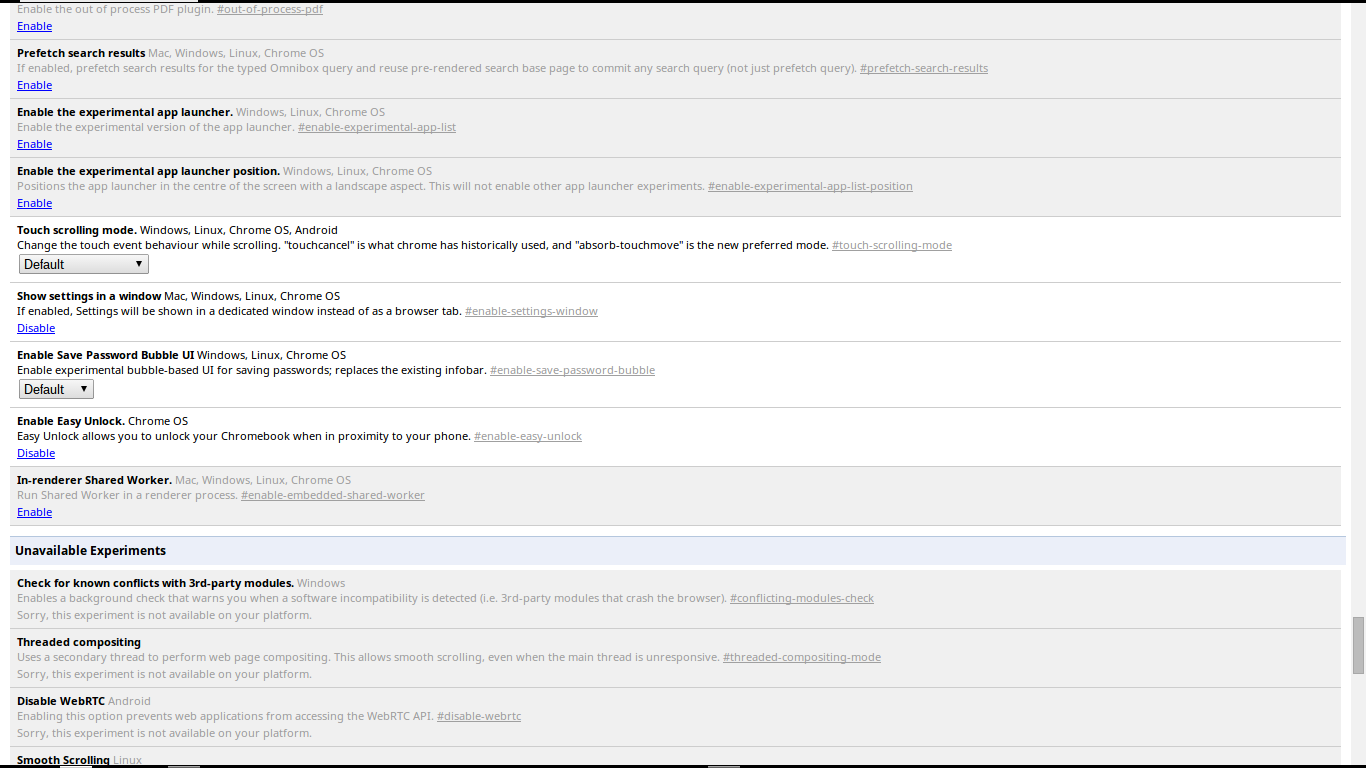
Google are experimenting with having the Chrome OS App Launcher in the middle of the Desktop compared to the normal Desktop OS position of in the lower left hand side of the Desktop, at present the new App Launcher position is hidden behind a Chrome flag.

[caption id="attachment_2137" align="aligncenter" width="300"]The current position of the Chrome OS App Launcher The current position of the Chrome OS App Launcher[/caption]

In my mind the new position of the App Launcher in the middle of the Desktop is more suited to touchscreen Chromebooks than to none touchscreen Chromebooks. This new middle of the Desktop position could also mean that Google are toying with the idea of removing the App Launcher from the shelf and turning the Search key into a Chrome Key, since the Search key also opens the App Launcher, or Google are toying with the idea of an Arm based Chrometab and an intel based Chrometab Pro.

Screenshot 2014-05-10 at 15.54.38

I prefer the traditional position of the App Launcher being positioned in on the lower left hand side of the Desktop & hope that once it’s implemented the Chrome flag stays to allow it to be put back to where it currently is or they add an option to change it back in Settings.


Now over to you the reader do you prefer the App Launcher in it’s current position or does the new position sound better?

 Roland

Google+

Tuesday, 6 May 2014

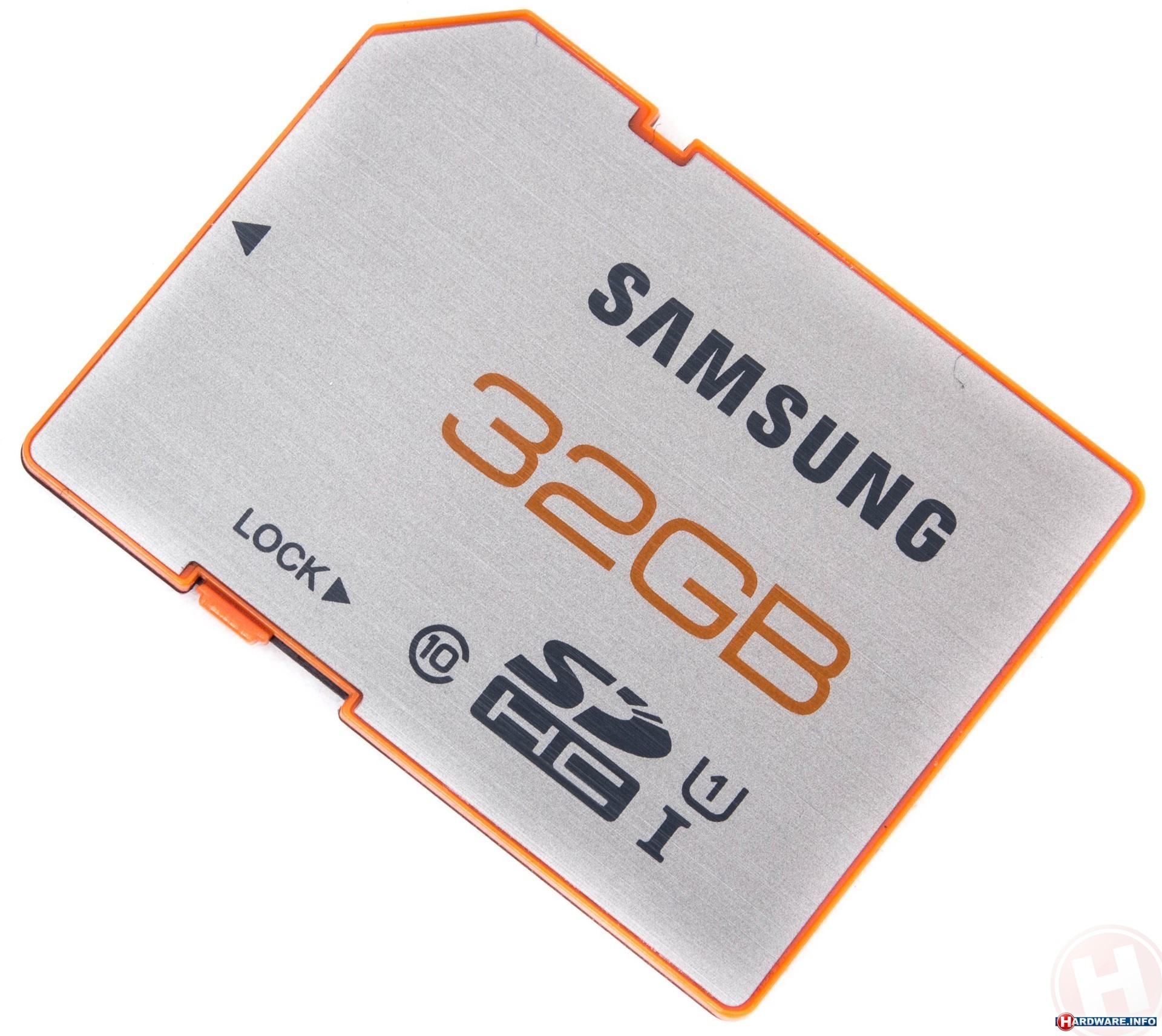
Samsung 32GB Class 10 SD HC Memory Card Review

samsung_sdhc_plus_uhsi_32gb


The 32GB Samsung SD Card that I ordered last Thursday came in the post today like it was estimated to on eBay, so here is my promised review.

The one that I ordered has a black back casing where the contacts are and an Orange top and Lock switch with a Silver label on the Orange top, and since it's going to spend most of its time in my Acer C720 Chromebook which only has a shallow SD Card Slot that just allows the front of the SD Card where the contacts are to fit in with enough of the card inserted to hold it in firmly I wanted an SD Card that looked the part with my Chromebook and this card fits the bill nicely as the Orange band that s visible and the silver label go nicely with the graphite look of the C720 and the Orange case that I've got on it.

Transfer speeds from the internal SSD in the Chromebook to the Samsung SD Card are snappy but I've only tried with a small Calendar.ics file, but when copying and pasting a HD Video to the SD card from a 2.5" SATA HDD in a  USB 2.0 enclosure it took a little longer, but that's probably down to using a USB 2.0 HDD instead of a USB 3.0 HDD, but when I get my USB 3.0 HDD enclosure I'll be able to see as I'll do the same transfer test in the review. Playing back HD video is smooth and problem free, due to it being a Class 10 U1 I rated SD Card.

The only time that I've put this memory Card in my Windows Laptop was when it came so I could re-format it to give it a volume name of my choice instead of the default sd card name in Chrome OS.

[caption id="attachment_2125" align="aligncenter" width="300"]My Chrome OS File Manager showing my SD Card with the volume name Chrome SSD My Chrome OS File Manager showing my SD Card with the volume name Chrome SSD[/caption]

This SD Card was a bargain for a genuine Samsung SD Card as most high-capacity SD Cards are usually fake that are sold on eBay.

I'll of course do a follow-up review after I've used the Card for a few weeks. Also stay tuned for my USB 3.0 HDD enclosure review coming soon.

Roland

Google+

Friday, 2 May 2014

Living In The Cloud 4 Months 6 Days Review

google-chromebook-logo

It's been 4 months 6 days since I started living in the Cloud. When I started it was a month-long experiment for a blog series that I decided to write, and I was just living in Chrome on Windows 7, this worked fine but there was still the temptation to use Windows 7. I soon moved over to the open source Chromium OS, and with the temptation to use Windows now gone I was able to throw my life 100% into the Cloud for the rest of the month-long experiment.

When the month was up I then replaced my Laptop with an official Chromebook and on the 14th of January this year  and I'm now entrusting my life to the Cloud, but for the price of entrusting my life to the Cloud I've got an easy to use Laptop that requires no maintenance where I can just simply get on with the task at hand.

4 month conclusion


After nearly 4 months and 1 week of living in the Cloud I'm more productive as I don't have to wait for my Laptop to boot up and all the startup programs to start before I can use it, which means I can start being productive as soon as I take my Chromebook out of my bag, and the long battery life means that I can be productive all day, and if I don't use my Chromebook all day I can use it for several days between charges. With my Windows Laptop I was lucky if a could get an hours worth of use out of it even after changing the battery for one with a higher capacity.


My Chromebook is light enough that I can carry it with me everywhere that I go as I went for the 11.6" Acer C720 which is a lightweight powerhouse that does everything that I do on a day-to-day basis, that was the reason for me choosing a Chromebook over a Windows Laptop or Ultrabook. My first choice was a MacBook Pro closely followed by a MacBook Air, but as they were way out of my price range I went for what is basically the new comer to the computing world.


Chromebooks are nothing like what Microsoft tries to lead everybody to believe, as now that everything is connected to the Internet even Windows and Mac Laptops can't do most things without an Internet connection. Sure you can use Office programs Offline along with other tasks, but for the day-to-day things like browsing the Internet or sending and receiving emails can't be done without an Internet connection. As Chrome OS matures more and more things can be done Offline as Google Drive has the ability to view documents Offline, but at present has limited Offline creation options, as you can only currently create and edit documents Offline but once you've named a document you're unable to rename it until you're back Online.


I'll probably do another review post in 4 months time.


Roland

Google+

Friday, 25 April 2014

New Easy Unlock Feature Coming Soon To Chrome OS

google-chromebook-logo

In the latest Chrome OS Development release there is a new feature hidden under a Chrome Flag, this feature is called Easy Unlock.

[caption id="attachment_2087" align="aligncenter" width="300"]Easy Unlock Chrome Flag Easy Unlock Chrome Flag[/caption]

[caption id="attachment_2085" align="aligncenter" width="300"]Easy Unlock option in Settings. Easy Unlock option in Settings.[/caption]

Once enabled Easy Unlock Setup can be found in Settings > Show Advanced Settings, once you select Setup Easy Unlock you get a Setup Wizard.

[caption id="attachment_2086" align="aligncenter" width="300"]Easy Unlock Setup Wizard Easy Unlock Setup Wizard[/caption]

The Easy Unlock Setup Wizard currently doesn't work, but it does point towards how it will work as when you select Find your phone it switches on the Bluetooth Radio in your Chromebook.

Conclusion


The Chrome OS Easy Unlock reminds me of a tiny hardware device that I saw in my local PC World years ago where you plugged a USB Dongle into your Windows Computer or Laptop and a puck was used to lock or unlock your Computer depending on if the puck was in rang of the USB Dongle in your Computer.

At present it's impossible to tell if Easy Unlock will only unlock your Chromebook or if it'll lock your Chromebook as well. If it only unlocks when it goes live it'll be nice if Google improve Easy Unlock to lock as well.

Roland

Google+

Advertisement

BBC News - Sheffield & South Yorkshire