Showing posts with label Web Posts. Show all posts
Sunday, 11 October 2015
Integrating An Xbox 360 Into an established Setup
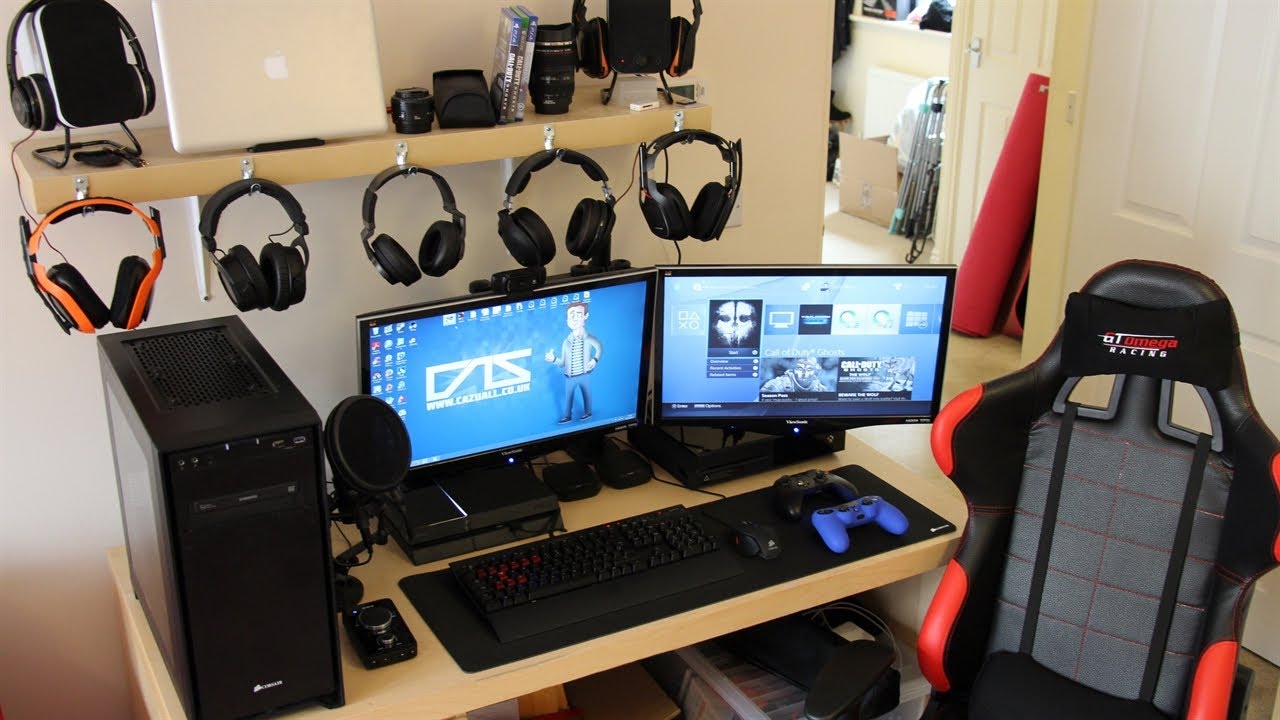
After having my setup just the way I like it with a dual screen setup for my Chromebook & a dual screen setup for my Windows Laptop depending which system I need to use, I recently added an Xbox 360 to my setup. This is how I integrated the Xbox 360 into my setup.
Sunday, 6 September 2015
My Current Chrome OS Desktop Layout (September 2015)
After a few months away from writing Articles due to commitments that have made it hard for me to update my Blog I'm back with an update on my current Chrome OS Desktop Layout.
Tuesday, 28 April 2015
My Home Office Set-up (April 2015)
Friday, 24 April 2015
Putting An Old Desktop PC To Use With Linux (Update)
I was going to put my old Desktop pc to use running Ubuntu Linux on it, but unfortunately after testing it last night and everything worked fine. When I came to install Ubuntu on it this morning I somehow ended up killing the Power Supply after adding a second HDD so I'll not be able to use it unless I can find a cheap compatible Power Supply for Motherboard that's inside somewhere so this little project is on hold for now.
Tuesday, 21 April 2015
Putting An Old Desktop PC To Use With Linux
In this series I'll be putting an old Desktop Tower PC that I built back in the early 200's into use running More than likely Linux or possibly Window Server 2003 unless I can find drivers for al the different Motherboard Chipsets, Graphics and Audio for Windows 7, 8/8.1 or even the Windows 10 Technical Preview, as the last time I tried Windows newer than Windows XP on it was Windows Vista and I struggled to get everything to work due to none existent drivers for anything other than the Nviidia Graphics card that I installed in it.
Monday, 20 April 2015
Home Office Set-up Upgrade Time (Update 2)
Thursday, 16 April 2015
My Home Office Set-up 2015
Tuesday, 14 April 2015
Home Office Set-up Upgrade Time (Update 1)
After a year or two of faithful service I've come to the conclusion that it's time to upgrade the faithful Kodak esp 1.2 AIO Colour Inkjet Printer for a Mono Laser Printer. Why upgrade a Printer that's only been used for a year or two for a Mono Laser Printer I hear you ask.
![]() |
| My faithful Kodak esp 1.2 AIO Printer |
Monday, 13 April 2015
Home Office Set-up Upgrade Time
After a year or two of faithful service I've come to the conclusion that it's time to upgrade the faithful Kodak esp 1.2 AIO Colour Inkjet Printer for a Mono Laser Printer. Why upgrade a Printer that's only been used for a year or two for a Mono Laser Printer I hear you ask.
![]() |
| My faithful Kodak esp 1.2 AIO Printer |
Sunday, 5 April 2015
What’s On My Chromebook Shelf Right Now (April 2015)
THE MOST USED APPS ON MY CHROMEBOOK, AND
WHY THEY’RE THERE
This is my latest Chrome OS shelf line up that I’ll probably stick with for at least the near future. While my iPhone and Google Nexus 7 Tablet are mainly used for leisure, my Chromebook is used mostly for work, I spend I’ve most of my day, it’s what I use to update this blog and work on various other projects. So I thought I’d do a post in the style of the what’s on my Mac Dock and why, but for Chromebooks, so here’s what’s on my Chromebook Shelf and why. First off we’ll cover some of the stock Chrome apps, and there are a few. The first is Chrome as it’s permanently placed on the Shelf by default, Files as it’s easier than having to go through the App Drawer to find it, finally I've got the Wallpaper Picker as it’s convenient for quickly changing my Desktop Wallpaper. Now onto the rest of my Apps.
Saturday, 28 March 2015
How I Use My Chromebook
Mini Bluetooth Keyboard & Trackpad Review
After using my HP Stream 7 Windows Tablet for a few months I was having repeated problems selecting multiple files in Explorer or multiple Emails in Microsoft Outlook, so I made the decision to look for a Mini Bluetooth Keyboard & Trackpad on eBay.
Friday, 27 March 2015
Chrome OS App Launcher To Receive Google Now Make Over
The Chrome OS App Launcher is to receive another update, after the last update that moved the start Men styled App Drawer to a more central App Launcher/Search engine will be given a splash of material design as well as get Google Now cards which until now have only been available in the Notification Centre.
Wednesday, 4 February 2015
My Return To The Nokia Lumia 925
Saturday, 27 December 2014
Executive Zipped Folio Case 7" For Tablets Review
For my HP Stream 7 Tablet that I previously reviewed I needed a case to keep it safe an looking like new. As I wanted the case before the Christmas break I looked on eBay & decided to pay a little more for a case than the regular flip cases as the regular flip cases were from Hong Kong and wouldn't get to me until January.
Friday, 26 December 2014
Living In The Cloud: 1 Year on
After spending a year living in the Cloud it’s been a very enjoyable experience that will pobably continue for many years to come as it fits my workflow & usage 100%. As a blogger I need to work in the Cloud so it’s something that I have to do on a regular basis anyway.
{Break}
While lliving in the Cloud takes away the convenience of having locally installed applications it has ment that my Laptop bag is now smaller and lighter as I use an 11.6” Acer C720 Chromebook which has all the benifit of a Laptop in an Ultrabook format without having to pay the premium that an Ultrabook costs.
Thursday, 25 December 2014
Home Office Set-up Christmas 2014
Wednesday, 17 December 2014
LibreOffice on rollApp Vs Google Drive
LibreOffice on rollApp gives you the fully functioning LibreOffice Suite on your Chrome OS device like you get when you use Microsoft Office Online or Apple iWork iCloud Beta, but as it’s streamed from the rollApp website you have to be online while using it like you have to when using Microsoft Office Online or Apple iWorkk iCloud Beta.
Thursday, 11 December 2014
New App Launcher Position & Easy Unlock Launched in Latest Developer Channel Release Of Chrome OS
New app launcher position
In the latest developer build of Chrome OS Version 41.0.2243.0 dev (64-bit) Google has made the centered app launcher that has been available for a while under a flag the default launcher position, and while the flag still exists to enable the centered launcher it's inactive as flipping it to disable doesn't do anything.
Wednesday, 10 December 2014
The Setup Of A Tech Blogger
I like to keep my blogging setup pretty clean and simple & basically use two Laptops & a tablet spread over two desks. My main desk consists of my Acer C720 Chromebook on a cooling Docking station with my 2012 Asus Google Nexus 7 just in front providing live stats from my Blog & wireless Keyboard & Mouse on the Keyboard tray.
Subscribe to:
Posts (Atom)