
This is the complete answer to that comment taken from the Ubuntu Documentation from the Ubuntu help website at
It is possible (although a little cumbersome) to play HD DVD and Blu-Ray films on Ubuntu.
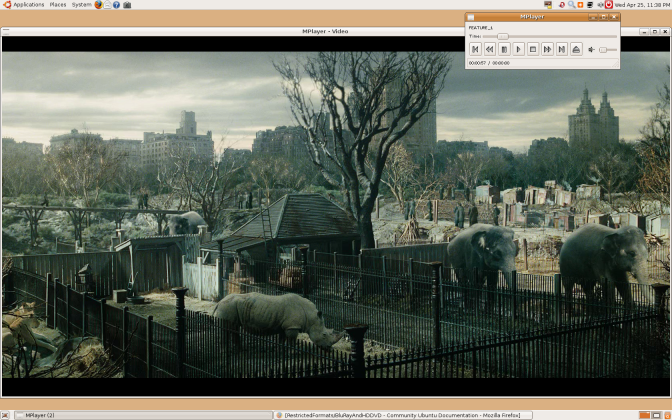
Audio in some films may not yet be supported.
The AACS 'Digital Rights Management' (actually, Digital Restrictions Management) system in most HD-DVD and all Blu-Ray discs attempts to stop consumers from exercising fair use rights, including:
- Playing purchased Blu-Ray and HD DVD films using Open Source software.
- Playing films using standard digital (DVI) or analog (VGA) cables and monitors, which generally do not support HDCP DRM, without a 75% reduction in resolution.
- Fast forwarding or skipping advertisements.
- Playing imported films, including when local equivalents may be overpriced or not available.
Blu-Ray or HD DVD player applications require their unique player (or 'device') key to play discs. These keys are issued by AACS-LA to approved manufacturers that implement the restrictions above. This player key can decrypt each film's volume key, which in turn can decrypt the film's content to play it.
However the AACS DRM is ineffective and does not successfully prevent any of these things.
- The player key for the xBox 360 HD DVD drive is known publicly, and has around 500,000 results on Google.
- Player keys for all Windows based software players, such as WinDVD and PowerDVD are known publicly. These can be used to find the volume keys for discs that don't have newer keys than those discovered. While these applications now have new keys (and future HD-DVD and Blu-Ray discs won't play with the old keys), it's likely the new key will be discovered too as all players must store their keys in memory at some point.
- The volume keys needed to play many released films are known publicly, due to the above. Even without a licensed player key, Linux HD-DVD and Blu-Ray software can use these to play discs.
Legal Notice Patent and copyright laws operate differently depending on which country you are in. Please obtain legal advice if you are unsure whether a particular patent or restriction applies to a media format you wish to use in your country.
Requirements
None of the software below is supplied or endorsed by Ubuntu.
- An HD DVD drive. The Xbox 360 HD-DVD player works well. Log into Gnome and then plug in the player. DVDs and CDs will work out of the box, HD-DVDs require the additional steps below. OR
- A Blu-ray drive.
Ubuntu 8.04 Hardy Heron
- A UDF 2.5 filesystem driver (the UDF driver included up to 8.04 Hardy Heron only supports UDF 2.0).
For 9.04 and earlier ONLY
- A current subversion release of MPlayer
- A current subversion release of FFMPEG. Try here for .deb files.
Ubuntu 9.10 contains a version of Mplayer that is capable of reading decrypted Blu-ray files.
Many HD DVD and all Blu-Ray discs use DRM. For these discs, you'll need:
- DumpHD to perform the decryption necessary to play the film.
- The sun-java6-bin package. See Installing Software.
- A current keydb.cfg file, which contains the decryption keys required to your film: keydb.cfg for HD-DVDs, Blu-Rays.
- Around 30GB of temporary disk space for HD-DVDs and 50GB for Blu-Rays.
Easy Alternative
As an easier alternative to the DumpHD method, you can try the MakeMKV program. The program contains a decryption key that has not been revoked, and may have more success in ripping your disc. It is not a perfect solution, however, because the main backend of the program is closed-source, and MakeMKV is not able to remove the BD+ protection on certain discs. Using MakeMKV, however, is often easier than using DumpHD.
A guide to easily initialising and watching Blu-ray discs with MakeMKV can be found here:http://themediaviking.com/software/bluray-linux/
Playing the Movie
- Put an HD-DVD or Blu-Ray disc in the drive. The disc should appear on the Gnome desktop.

- If using HD-DVD, try and play the disc. R&B Films, Fox Pathe/Studio Canal, EMS GmbH and other studios produce HD DVD discs without DRM, allowing them to be played without any of the restrictions mentioned above. The films content is in .EVO files in the 'HDDVD_TS' folder on the disc. Specify the video codec to use:
mplayer -vc ffvc1 /media/KING_KONG/HVDVD_TS/FEATURE*EVO
If you're not watching a movie at this point, the disc needs to be decrypted.
- DumpHD can decrypt the disc. Ensure you have a large amount of disk space available (around 30GB, and run):
sudo ./dumphd.sh

Select the disc as the source (a directory somewhere beneath /media/Film Name and a directory like /tmp to save the movie content.
You can proceed onto the next step once FEATURE_1.EVO has started decrypting.
- Play the film from your hard disk. Specify the video codec to use:
mplayer -vc ffvc1 "/tmp/King Kong/HVDVD_TS/FEATURE*EVO"

- If your disc is a Blu-ray and still doesn't work, it might be protected with BD+; it is possible to decrypt it using these tools.
Playback using VDPAU acceleration
Nvidia 8000 series and above, excluding 8800 cards, support Video Decode and Presentation API for Unix (VDPAU). This allows the Nvidia GPU to take on some of the decoding load.
Mplayer in Ubuntu 9.10 supports VDPAU. You will also need the nvidia-185-libvdpau package.
When you have a decrypted Blu-ray/HD-DVD filesystem on your hard disk, you can run the following command:
H.264 disc
mplayer -vc ffh264vdpau -vo vdpau ~/BDMV/STREAM/00001.m2ts
VC-1 disc
mplayer -vc ffvc1vdpau -vo vdpau ~/BDMV/STREAM/00001.m2ts
MPEG disc
mplayer -vc ffmpeg12vdpau -vo vdpau ~/BDMV/STREAM/00001.m2ts
Mounting Bluray disc iso image
The bluray iso file is in udf format instead of iso9660. Therefore you need to mount it using the udf type:
sudo mount -o loop -t udf path/to/bluray.iso /media/cdrom
Tips
Some files require odd workarounds - for instance, the Pirate Of The Caribbean trilogy requires you to specify the frame rate with the "-fps" option (i.e. "-fps 25" for PAL) and may start with the wrong language selected (you can cycle through them by hitting the # key).
Depending on the speed of your computer, you may need to alter the AV Sync during playback, using the - and + keys.
You can go to full-screen in Mplayer by pressing the F key.
You generally get smoother playback without a compositing window manager (so turn off Compiz).
Some discs (like The Boat That Rocked) require the latest Mplayer from SVN.
Further Reading
Freedom to Tinker article on AACS decryption - A simple explanation of the DRM used in HD DVD and what BackupHDDVD (and BackupHDDVD C++) do.
Linux UDF project containing UDF-2.50_linux-2.6.20.patch, the UDF 2.5 filesystem driver.
Release announcement for BackupHDDVD C++
Doom 9 Forum thread on playing HD DVD disc content with Linux mplayer SVN
Wikipedia article on AACS, used to restrict users rights on HD DVD and Blu-Ray
Why you should boycott Blu-ray and HD-DVD
The Mplayer man page
RestrictedFormats/BluRayAndHDDVD (last edited 2010-12-13 13:00:05 by Paul Seddon)
Post thanks to https://help.ubuntu.com/community/RestrictedFormats/BluRayAndHDDVD
Roland

