![]() |
| A sample page from my WordPress.com Posts Dashboard |
Tuesday, 5 August 2014
WordPress Post Dashboard Clutter
If like me you've used WordPress for nearly four years then this Post will feel close to home for you. I've Blogged via WordPress since September 2010 and have amassed 360 published Articles and two drafts and my All Posts Screen in the Posts Dashboard looks like this.
Friday, 1 August 2014
What’s On My Chromebook Shelf Right Now (August 2014)
THE MOST USED APPS ON MY CHROMEBOOK, AND
WHY THEY’RE THERE
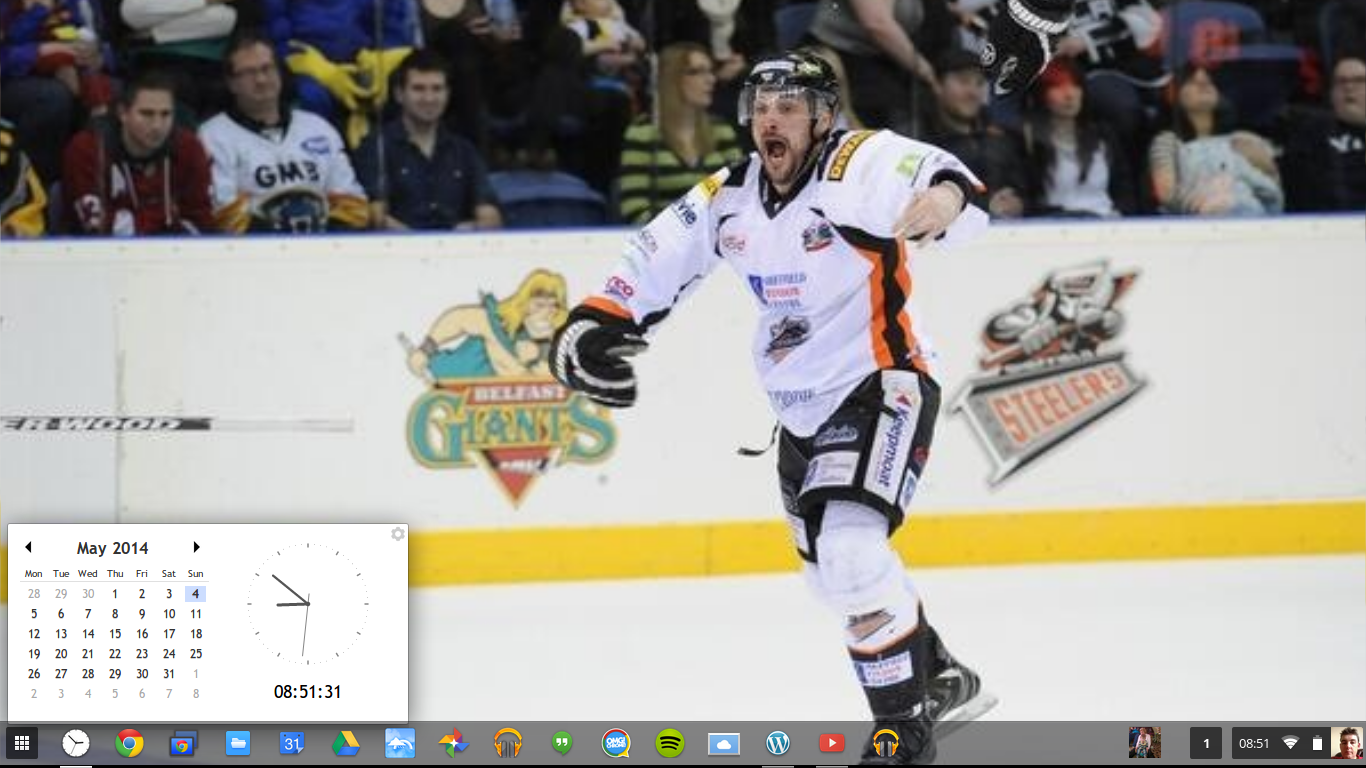
This is my latest Chrome OS shelf line up that I’ll probably stick with for at least the near future. While my iPhone and Google Nexus 7 Tablet are mainly used for leisure, my Chromebook is used mostly for work, I spend I’ve most of my day, it’s what I use to update this blog and work on various other projects. So I thought I’d do a post in the style of the what’s on my Mac Dock and why, but for Chromebooks, so here’s what’s on my Chromebook Shelf and why. First off we’ll cover some of the stock Chrome apps, and there are a few. The first is Chrome as it’s permanently placed on the Shelf by default, Files as it’s easier than having to go through the App Drawer to find it, finally I've got the Wallpaper Picker as it’s convenient for quickly changing my Desktop Wallpaper. Now onto the rest of my Apps.
Clock Calendar. Clock Calendar adds a nice convenient Month view Calendar and Clock that can be used like a widget.
Sunday, 20 July 2014
What Does Apple Discontinuing iPhoto & Aperture For Mac Mean For iPhotoOn iOS
iPhoto has been the standard for working with photos while Aperture has been Apples professional photo editor on a Mac for years, but with the recent announcement that iPhoto and Aperture will be discontinued in favour of Photos on Mac when OS X 10.10 is released although both will still continue to work on OS X 10.10 at least what does it mean for iPhoto on iOS?
iPhoto on Mac is a simple Photo Organizing and Editing Application for Mac that allows you to organize your photos into albums as well as do simple editing tasks like what the photo preview app on windows and the photo gallery feature of the Chrome OS browser allows you to do.
Wednesday, 9 July 2014
What's On My Chromebook Shelf Right Now (July 2014)
THE MOST USED APPS ON MY CHROMEBOOK, AND
WHY THEY’RE THERE
This is my latest Chrome OS shelf line up that I’ll probably stick with for at least the near future. While my iPhone and Google Nexus 7 Tablet are mainly used for leisure, my Chromebook is used mostly for work, I spend I’ve most of my day, it’s what I use to update this blog and work on various other projects. So I thought I’d do a post in the style of the what’s on my Mac Dock and why, but for Chromebooks, so here’s what’s on my Chromebook Shelf and why. First off we’ll cover some of the stock Chrome apps, and there are a few. The first is Chrome as it’s permanently placed on the Shelf by default, Files as it’s easier than having to go through the App Drawer to find it, finally I’ve got the Wallpaper Picker as it’s convenient for quickly changing my Desktop Wallpaper. Now onto the rest of my Apps.Clock Calendar. Clock Calendar adds a nice convenient Month view Calendar and Clock that can be used like a widget.
Thursday, 19 June 2014
My Home Office Set-up 2014 (Update)
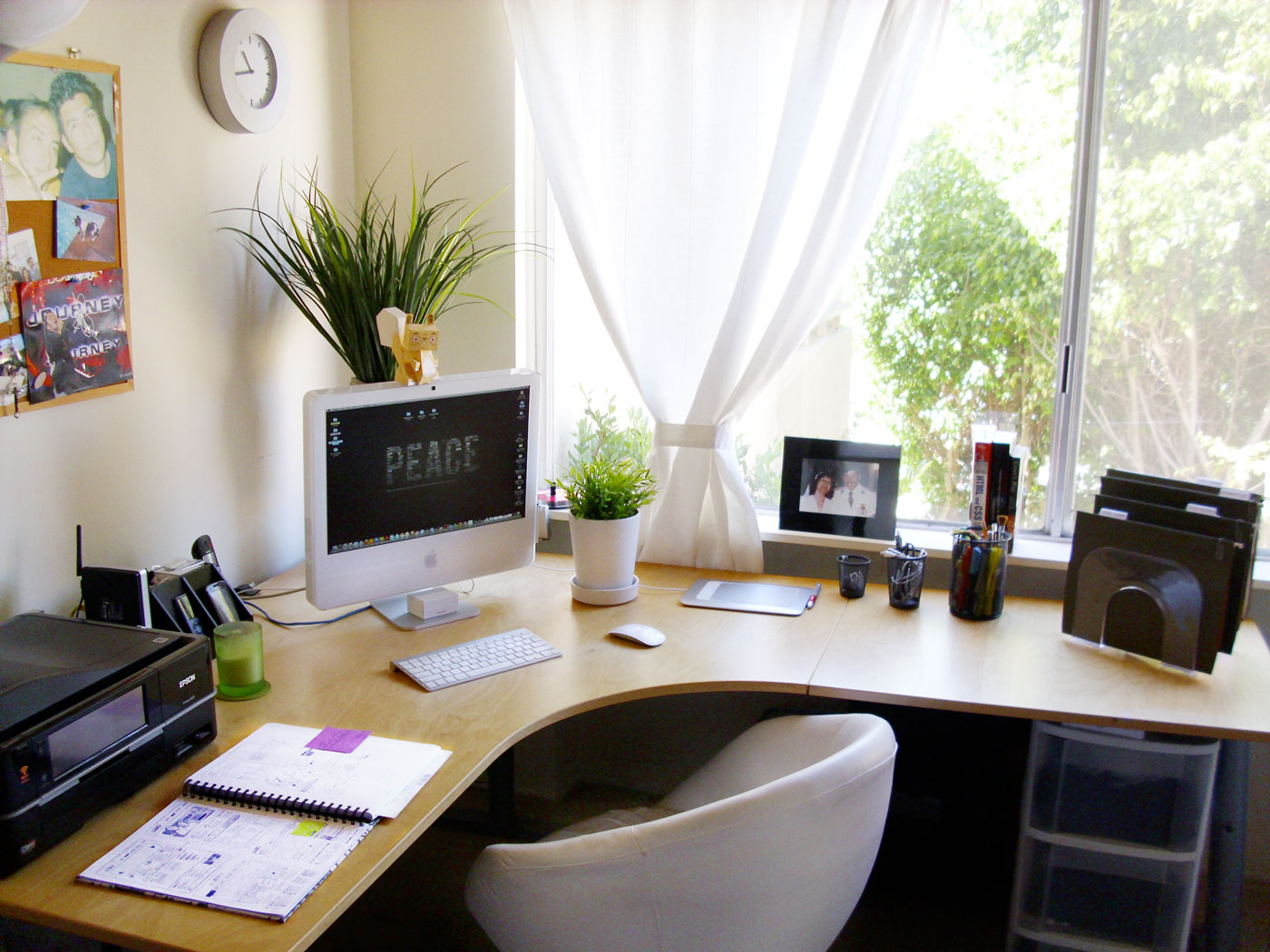
My Home Office setup isn't like the video tours that you see on YouTube, it used to similar at one time. It’s now a lot more modest and minimalistic, but it works well for me. So here’s my text and picture tour of my Home Office as it didn't seem worth while doing a YouTube video. The storage part of my Home Office is an old Computer desk that houses a Box of Printer Paper, a Shredder, a Box of Envelopes and a brown box that has some Computer stuff on the bottom shelf, the Keyboard drawer has an old Microsoft Multimedia Keyboard while the top shelf has a Printer Organizer with mostly odd bits of scrap paper and the charger for my Asus Google Nexus 7, Bluetooth headphones and my Microsoft LifeChat LX-3000 USB Headset & on top of it I've got my Kodak esp 1.2 AIO Printer.
![]() |
| Printing station |
Sunday, 15 June 2014
Blogging For Begginers
So you've decided to start a Blog, where do you start?
There are three main things that you need to consider carefully before you start your Blog, you can find them listed bellow with some tips.- Decide on which Blogging service to use: You've got a choice of two free hosted blogging services available in the form of WordPress & Blogger and two self-hosted services in the form of WordPress and Blog engine. If you want a simple life with your blog that doesn't really require any maintenance then I'd go for a WordPress or Blogger hosted blog. WordPress offers a large selection of Add-ons that you can purchase that even includes a custom domain name for your blog that gets rid of the .wordpress.com part of your Blogs address, where as Blogger only offers a custom domain name (a custom domain name changes say blogname.wordpress.com to say blogname.com) a custom domain makes your blog look more professional. Both services allow you to either buy a custom domain through them or have a domain name that you already own mapped to your blog (I'd personally go for buying direct from your blog provider over mapping an existing domain name as all the configuration is done for you and you don't have to do it yourself.
Wednesday, 11 June 2014
Are OS X 10.10 Yosemite & iOS 8 Game Changes In The Mobile & Desktop OSMarket?
With iOS 8 and OS X 10.10 Yosemite set to bring a new level of convergence between Mobile OS's and Desktop OS's with two new features in both iOS and OS X 10.10 that Apple calls Continuity and Hand-Off.
Continuity basically brings over the flat look that was introduced in iOS 7 and partially implemented in OS X 10.9 Mavericks, the new look of OS X 10.10 also brings a new flat widow controls theme along with a new Notification Centre that has a Today tab like that of the Notification Centre in iOS 8 along with Widgets and a Notifications tab. In the iOS 8 Notification Centre gone is the Missed Notifications tab & the All Notifications tab has been replaced by the Notifications tab.
Subscribe to:
Posts (Atom)