I've tried to use the Chrome Web App Typing Club to learn how to touch type, but after many a frustrated hour trying to go through the exercises on my Toshiba Satellite C660-15R running Chromium OS 28 I've come to the conclusion that the Keyboard style used by Toshiba isn't the best for touch typing as the keys are close together and are too flat to touch type on (or learn to touch type on at any rate) as it's far too easy to catch the wrong key by accident by just reaching for the key that you actually want to hit.
[caption id="attachment_1821" align="aligncenter" width="300"]
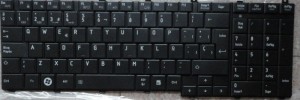
Cramped Keyboard Layout of the Toshiba Satellite C660-15R Keyboard[/caption]
I think that the best keyboard layout to learn to touch type is probably the Chiclet keyboard introduced by Apple in the MacBook range of Laptops & Ultrabooks that now seems to have been adopted as the only keyboard layout for Chromebooks. I've never touched a Chromebook keyboard, but do occasionally use a MacBook keyboard when at the in-laws (but never tried to touch type on it)but the spacing of the keys from each other does make it feel more comfortable to use and presumably far more easier to be able to touch type on.
[caption id="attachment_1820" align="aligncenter" width="300"]
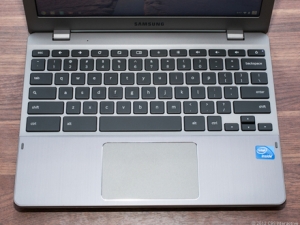
The Chiclet or island style keyboard[/caption]
I've in the past learnt how to touch type on an electric typewriter & even continued touch typing on a conventional Desktop keyboard
[caption id="attachment_1822" align="aligncenter" width="300"]
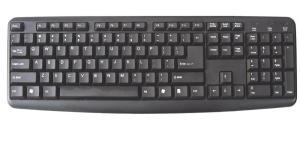
The conventional layout of a Desktop keyboard[/caption]
But once I got my first Laptop back in I think it was 2004-2005 I stopped touch typing in favour of typing with two fingers & then developed my own speed typing by only using two or three fingers. S I decided to try and take up touch typing again, but with the cramped flat key layout of modern laptop keyboards it's impossibly slow and error ridden typing and takes me twice as long to type as it does with my own weird speed typing method.
It'd be nice to see more OEM's than just the Chromebook OEM's & Apple use the Chiclet or Island style keyboard, even the likes of HP, Acer & Samsung don't use the Chiclet style keyboard on their Windows Laptops.
Sure you've got to reach for the key you want with the Chiclet style keyboard, but in the long run it'll make touch typing easier to learn for the Laptop generation & even make it easier for people to transition between touch typing on a desktop computer & a Laptop, even Apple use the Chiclet style keyboard for Desktop Computers, so why shouldn't more Laptops than just the MacBook range & Chromebook range use a Chiclet style keyboard.
I'm hopeful that LG will go with a conventional Chromebook Chiclet keyboard for their forthcoming Chromebase AIO PC instead of modifying a standard Desktop Keyboard for Chrome OS.
Roland