Sunday, 11 October 2015
Integrating An Xbox 360 Into an established Setup
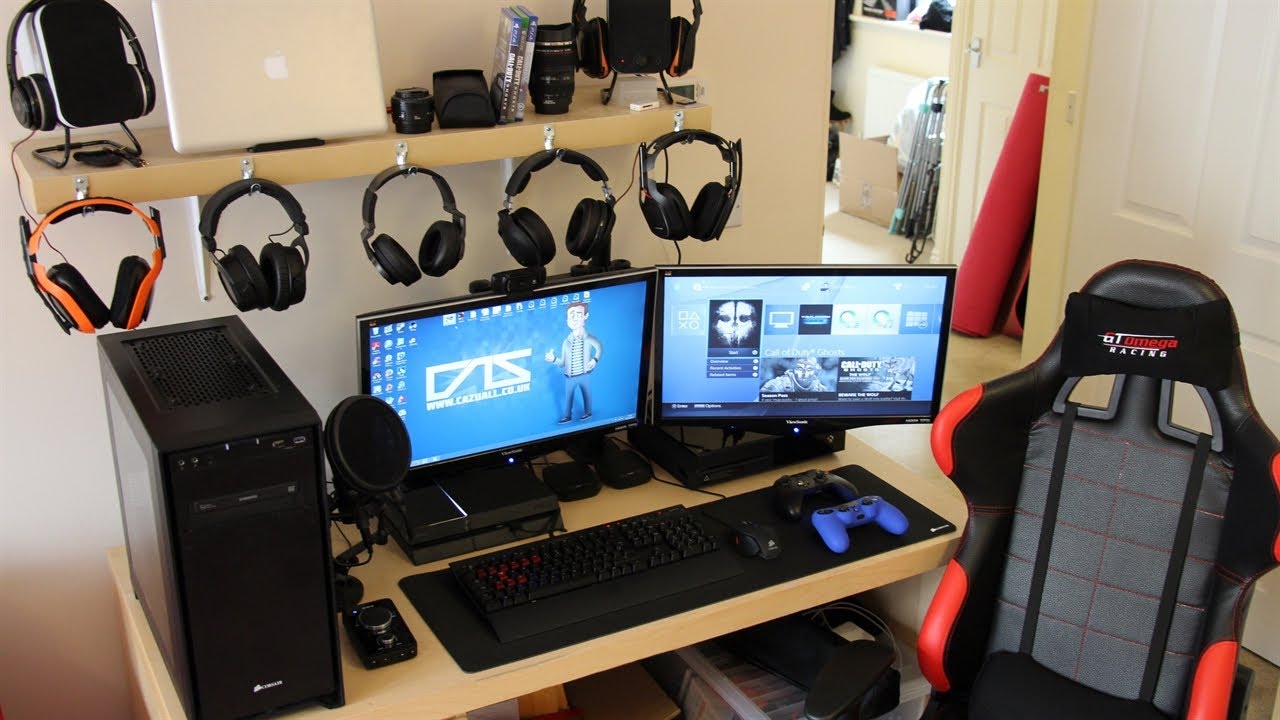
After having my setup just the way I like it with a dual screen setup for my Chromebook & a dual screen setup for my Windows Laptop depending which system I need to use, I recently added an Xbox 360 to my setup. This is how I integrated the Xbox 360 into my setup.
Saturday, 23 May 2015
De-Branding & Removing Windows From A Laptop
After having my trusty Toshiba Laptop for about 5 years now I've decided to totally De-Brand and remove Windows from it and turn it into a Linux Laptop.
Wednesday, 24 December 2014
HP Stream 7 Review
Monday, 24 November 2014
2.4 GHZ Wireless Mini Keyboard & Mouse Review
Tuesday, 9 September 2014
Using Chrome Remote Desktop For Gaming In Chrome OS
Tuesday, 2 September 2014
Learning To Program In Microsoft Visual Studio: From A Chromebook &Chrome OS User
While there is the Neutron Drive IDE Web App for Programming in Chrome OS, anyone who wants to learn how to Program in any or all the Languages that come as part of Visual Studio, it's probably best to learn how to Program using Visual Studio since it's the Industry Standard IDE for Programming.
But Visual Studio is expensive!!!! I hear you cry, well that may be true for the Professional & Ultimate Editions of Visual Studio which have been part of the Visual Studio line since 2005. visual Studio Express 2013 is composed of 3 different Editions (Visual Studio Express Web for Developing Web Applications, Visual Studio Express Windows for Developing Windows 8+ Modern UI Apps & Visual Studio Express Windows Desktop for Developing Traditional Windows Programs that run on all versions of Windows) There is also an Express Edition of the server-side Version Control Team Foundation Server that also runs on Client Machines thanks to Windows built-in Web Server IIS. These Express Editions including Team Foundation Server are free to Download & use on as many Windows Desktops or Laptops as you like, Visual Studio 2013 only runs on Windows 8/8.1 so if you're running Windows 7 then you will need Visual Studio 2012. Visual Studio Express takes all the complexity out of Visual Studio Professional or Ultimate.
Thursday, 28 August 2014
Using Chrome Remote Desktop To Use Windows, Mac OS X Or Linux In ChromeOS
While many people call Chromebooks not real Laptops because you can't run programs like Visual Studio or Office on them and the fact that some of the Chrome OS apps that do the same thing are a little lacking in features compared to their Windows, Mac OS X or Linux equivalents.
Google does offer a lightweight and convenient solution for anyone who needs to use Windows, Mac OS X or Linux programs in the form of Chrome Remote Desktop, Chrome Remote Desktop allows you to keep using your Chromebook, Chromebox or Chromebase while being logged into a different OS remotely. This is handy if you need to use a particular program doesn't have a Chrome OS equivalent.
Wednesday, 16 April 2014
Microsoft LifeChat LX-3000 And Chrome OS

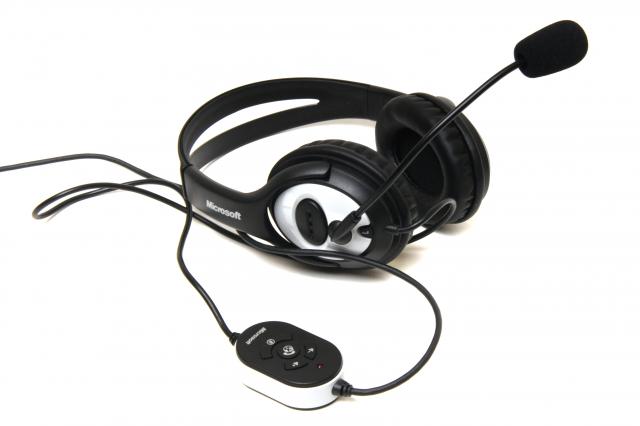
When I was using Chromium OS on my Toshiba Satellite C660-15R I was unable to use my Microsoft LifeChat LX-3000 USB headset as it wasn't detected by the OS.

Today I tried using the same headset on my Acer C720 Chromebook running Chrome OS 35.0.1916.27 dev and my Microsoft LifeChat LX-3000 gets detected by the OS and the headphones work perfectly fine, but I've not had chance to check the Microphone side of the headset yet.
The microphone side of the Microsoft LifeChat LX-3000 gets detected by Chrome OS so I assume that it will work with Chrome OS, I'll update at a later date when I've had chance to try it out properly.
On a side note my Bluetooth headset that I got for my mobile phone works with Chrome OS but only as headphones as Chrome OS doesn't detect that it has a microphone built-in and instead uses the Chromebooks internal speaker.
Conclusion
The sound coming from the Microsoft LifeChat LX-3000's headphones is comparable to that of the internal speakers of the Acer C720 Chromebook, but the Bass coming from the Microsoft LifeChat LX-3000's headphones could be slightly more noticeable compared the Acer's internal speakers.
The Microsoft LifeChat LX-3000 make the perfect headphones for anyone who listens to music via Spotify or Google Play Music & for watching videos on YouTube, Netflix, Google Play Movies & TV or any of the other video streaming services that are available.
If the microphone side of the Microsoft LifeChat LX-3000 works in Chrome OS then it's the perfect headset for YouTube Producers or anyone that uses Chrome OS for creating videos and needs a headset for monitoring audio as well as adding voice overs, & for anyone that uses Google Hangouts and wants to use something better than the internal speakers and microphone.
Roland
Tuesday, 15 April 2014
Microsoft Launch Office Web Applications Launchers for Chrome & Chrome OS

Microsoft have now launched their free Office web apps as Chrome & Chrome OS app launchers. Joining the existing Chrome & Chrome OS app launchers for OneDrive & Outlook.com launchers for Word, Excel, PowerPoint & OneNote, all but Excel are available by searching for the relevant app in the Chrome web Store, for anyone who wants the PowerPoint launcher here's the Chrome web Store listing (courtesy of OMG Chrome).
The Microsoft Office web apps work like Google Docs, Google Slides & Google Sheets by auto saving your document while you work, the only difference is that the Microsoft Office web apps look exactly like the Microsoft Office 356 Suite with exactly the same UI as the full Office 365 Suite, the only difference is that the File Menu is slimmed down slightly with the lack of a manual Save & Save As.
The Office 365 web apps look more professional compared to the Google Office suite due to the more complex UI, but they both do the same tasks with ease even though the Google Office suite offers the ability to work Offline where as the Office web apps are purely online only.
Google was the first to launch Office in the cloud when it Launched Google Docs (now Google Drive), closely followed by Microsoft with office web apps. Naturally Google Drive was the only installable web apps on Chrome OS although Microsoft Office web apps was available through Live.com and now Outlook.com websites, when RollApp recently launched it gave Chrome OS users the ability to use the full & not modified for Cloud Computing LibreOffice suite (with installable web app launchers), now Microsoft join in late to the party bringing their 3 web apps to Chrome OS as installable web app Launchers, Word, Excel, PowerPoint & OneNote join the already available Outlook.com & OneDrive web app launchers.
Can Microsoft entice none Office 365 subscribers to Office Online or will the small amount of free storage on OneDrive compared to the 15GB of free storage space on Google Drive & the offer of 100GB of free Google Drive storage on top of your standard free storage for 2 years for anyone who buys a Chrome OS device be enough to keep Chrome OS users with Google Drive.
I've got Google Drive, LibreOffice on RollApp & the Microsoft Office web apps installed on my Chromebook, but other than giving LibreOffice via RollApp a go for articles on the Blog I tend to use Google Drive exclusively (probably due to the extra 100GB of free storage space for 2 years & it's integration with the Chrome OS Files App), but I'll probably give the Office web apps a try as I used to use them before I started using Google Drive (Docs as it was known as at the time).
Conclusion
Microsoft must really see Google Drive as serious competition to launch Office web app launchers for Chrome/Chrome OS, but for Chrome OS users it brings more choice to the table.
Roland
Saturday, 1 March 2014
Microsoft Considering Chromebook Rival

Microsoft are reportedly considering a Chromebook rival called the Bingbook. The Bingbook will be powered by a light version of Windows 8.1 with key Microsoft Services, and is intended as a free or low-cost Upgrade to Windows 7.
Microsoft are that desperate to get people to Upgrade to Windows 8.1 that they would go against their anti-Google Scrooogled campaign to get people to Upgrade to Windows 8.1.
Microsoft need to seriously update their web services before even contemplating a Chrome OS rival.
- The outlook.com web-mail service needs to be brought up to the same level as GMail as it's pretty basic.
- The Microsoft Calendar within outlook.com needs to be brought outside of outlook.com.
- OneDrive needs to be brought outside of outlook.com, and have an increase of free storage from the current 7GB.
- The Office web apps need to be updated to allow direct printing instead of converting to a PDF and then printing at draft quality at best.
- Internet Explorer needs to be made a little more lightweight to support lower screen resolution and hardware spec of a Netbook.
For Microsoft to make a competitor to Chrome OS they'd have to abandon the Modern UI of Windows 8.1 which I can't see them doing in a million years as they seem to think that it's perfect despite the dismal uptake of Windows 8/8.1.
I can see several catches to the Microsoft Bingbook idea and one of them being having to buy a yearly or monthly Subscription to Microsoft Office 365 once you've purchased a Bingbook, which is fair enough if they make a free version for people who have a Windows 7 Laptop or Desktop that works perfectly fine, but if people have to buy new Bingbook then people aren't going to be too pleased after paying $250 or £149 (based on current exchange rate and the proposed $250 retail price).
Microsoft will then have to suck up to Google to licence Google Cloud Print or develop their own version, as well as tailor the Office web apps for better printing as at present both the free Office web apps and the paid Office 365 versions convert documents to PDF before downloading them and sending them to your printer, and the quality is only Draft quality at best and not suitable for anything professional such as business use and for say job applications e.t.c, and since the largest group of Windows 8/8.1 hold outs are Enterprise users.
This proposal also contradicts Microsoft's announcement of extending the pre-install and support life for Enterprise users of Windows 7. But with the amount of U-turns that Microsoft have done since the initial release of Windows 8 then this proposal wouldn't surprise me in the least.
Conclusion
If Microsoft does go ahead with this proposal the initial release would be worse than the initial release of Chrome OS as Microsoft will probably rush through the initial release to try and claw back some of the money that they have lost due to the poor sales of Windows 8/8.1.
If Microsoft want to build a true competitor to Chrome OS then they will have to create a stripped down Windows 8.1 that doesn't use the Modern UI, and instead go down the Chrome OS root and build a lightweight Internet Explorer and call it the Bing Browser and build a kind of Bing OS around it with all the apps e.t.c being web apps and browser add-on's as the main selling point of Chrome OS is being that a Chromebook is light weight and portable with excellent battery life. I can remember my first Netbook ( an Advent one, can't remember the model) it had a 10" screen a keyboard that was so cramped it was impossible to use, the battery life wasn't the best and it wasn't that light. It also ran Windows XP when it was more than capable of running Windows Vista, which I then put Windows Vista Ultimate on before installing Windows 7 Ultimate on which it still had on right up until dying earlier this year.
Since then I moved on to an Acer C720 Chromebook that's lightweight with excellent battery life. It's so light that I carry it around with me everywhere I go even if it doesn't get used.
Microsoft need to take note of Chrome OS if they really want to create a Chrome OS rival, and I think they're going to struggle to get many OEM's on board as Bingbook partners since Chrome OS's popularity has risen in recent months and the Scroogled campaign hasn't done Microsoft any favours. I think that the only realistic way that Microsoft can make a go of Bingbooks is if they retire the Microsoft Surface RT line of Tablets and replace them with the Bingbook line.
The proposition of giving away the Bingbook OS to OEM's or even making it a free Upgrade to Windows 7 is probable all talk by Microsoft as Windows licence sales both to OEM's and through Retail channels makes them money, buy giving the Bingbook OS away to OEM's and possibly even as a free Upgrade to Windows 7 means that they're going to have to find a way to make money from Bingbooks, but then the increased sales of Office 365 Subscriptions or OneDrive Storage Upgrade Subscriptions will more than make-up for the loss of revenue from Bingbook licences, but considering that Windows 8/8.1 take-up has been slow I can't see anyone adopting the Bingbook concept as the Microsoft Services aren't as mature as their Google counterparts, also Microsoft really need to make a cloud version of the VBA Scripting language to allow for people who have spent time creating Scripts or even extensions to the likes of Word and Excel to be able to use the Microsoft Office web apps and re-create all of their Scripts.
The real beauty of Google Services is that the Google Apps Script language that's used to create custom functions, extensions and scripts for the various services is all cloud based and stored in Google Drive meaning that they'll be available no matter if you're using a Mac, Windows, Linux or Chrome OS Device meaning that your Google Sheets functions and extensions will work no matter what OS you're using.
Chrome OS is being constantly updated with new features and you can always switch between the Current Stable, Beta and Development releases without too much trouble, but I can see Microsoft abandoning Bingbooks once Windows 9 is released as supporting low-end hardware isn't really Microsoft's thing, also the Bingbook concept is about boosting Windows 8.1 take up.
Roland
Friday, 24 January 2014
The Chromebook Test: Living In Google Chrome For A Month (Conclusion)

Well the month is up and I've fallen in love with the Chromebook concept, as they're more affordable than the Windows powered Ultrabooks on the market & the MacBook Air.
The big selling points in my opinion are:
- Lightweight & Portable
Chromebooks are more lightweight and portable than Netbooks that are on the market and have a bigger screen and keyboard making them easier to use. - Affordable Computing
They are more affordable than Ultrabooks that use Windows 8.1 or the MacBook Air meaning that anyone can afford one. - Don't have to re-install all Applications or Drivers when re-install Chrome OS
All your Applications saved in your Google Account meaning that if you buy a new Chromebook or do a factory reset everything just syncs back to your Chromebook, & you don't need Hardware Drivers for all the Hardware in your Chromebook.
Storage Upgrade
The only drawback to a Chromebook is the measly 16GB of SSD Storage meaning that you don't get much space to store files locally & with the internal SSD being of a super slimline portable format to a regular SSD you can't go to PC World or an independent Computer shop and buy an SSD to upgrade and it's probably going to take a bit of searching online to find anywhere to get an upgrade from. I found a website that makes the form factor SSD's used in Chromebooks, but they only do 128GB which is still on the small side compared to a regular 2.5" Laptop SSD that can go up to 240GB of Storage, and the retailers that sell the Chromebook size SSD's only seem to be USA, Australian or Chinese based meaning that if you live in Europe you'll be having to wait a while for one to arrive and will possibly have to deal with import duty if you purchase one meaning that it could be a costly upgrade.
Usage
The reliance of being online all the time to do anything that can't be done offline means that you'll need to have a MiFi unit or Mobile Phone with Tethering when you're away from home or anywhere without an Internet connection.
Chrome Web Store
One big problem that's not to do with Chromebooks or Chrome OS/Chromium OS is the rather poorly designed Chrome Web Store that says that all Apps are Free even if they're only limited trials that then need an ongoing Subscription, or in the case of some games on the Chrome Web Store needing an in Game Purchase to unlock the game fully.
This can be a bit miss leading especially if you install a game and get nearly all the way to the end and find that you can't complete it without an in-game purchase to unlock the full game.
Chromium OS on none Chromebook Hardware
The drawbacks of using Chromium OS on none Chromebook Hardware are.
- There is no Search Key on none Chromebook Hardware Keyboards
The lack of a Search key means that even if you set the Search key within Chrome Settings nothing happens, but you can disable the CAPS LOCK Key. - Still Heavy and lacks portability
Making your own Chromebook using Chromium OS still means that you've got the lack of portability and weight of the Laptop you've used unless you use a pre Windows 8/8.1 Ultrabook. - Poor Battery life
You still have the Battery life of the Laptop you've used, but you do get a slight increase in Battery life over Windows or Linux, but you can always purchase an extra battery or two and swap them out as required. - A redundant internal CD/DVD Drive
You've got a CD/DVD Drive built into your Laptop that you'll probably never use while using Chromium OS & I'm not even sure if an internal IDE CD/DVD Drive will even work within Chromium OS. - Lack of Flash Player Support
Adobe Flash Player isn't supported in Chromium OS so you'll struggle to watch most YouTube Videos and won't be able to listen to music on Google Play Music. - Lack of Media Support
mp3,mp4 and some other Media Codecs aren't supported meaning that you'll not be able to listen to locally stored music or watch locally stored videos.
Conclusion
If you want a distraction free work environment to write letters, create Spreadsheets & Presentations along with check your email & social Networks e.t.c then Chromium OS is the ideal OS for you, but if you need full Media & Flash Player support then you're better off just getting a Chromebook (which I'll be doing at some point in the future).
Roland
Previous

Thursday, 23 January 2014
The Chromebook Test: Living In Google Chrome For A Month (1 Month Review)

I originally intended this series to chart a month of me living entirely in the Google Chrome Web Browser then do another month of me living in Chromium OS via a virtualbox Chromium OS Virtual Machine, but after not being able to get the Chromium OS Virtual Machine to work properly I decided to go and nuke my Windows 7 Ultimate Install and use Chromium OS only.
This post will review my two weeks of living in the Google Chrome Web Browser & one week living in Chromium OS.
Two weeks of living in the Google Chrome Web Browser
The two weeks of living in the Google Chrome Web Browser was easy, but it provides the option to go back to Windows 7 Ultimate with it being at its heart, and things like being able to take Screenshots had to use Windows Paint to save them . I even themed my Windows install to look a little like Chrome OS to help with the experiment.
[caption id="attachment_1511" align="aligncenter" width="300"]
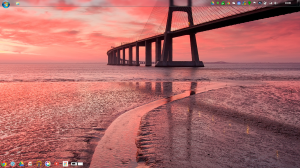
Chrome OS Styled Windows 7 Desktop, Showing Windows 7 Taskbar[/caption]Working with a Chrome OS themed Desktop helped with the experience a little, and the two weeks I spent living with this setup was enough to convince me to have a look at living solely in Chrome OS and attempt to Install Chromium OS.
Two weeks of living solely in Chromium OS
My two weeks of living in Chromium OS has been really easy as I've not had any distractions from Windows or Windows Programs.
[caption id="attachment_1627" align="aligncenter" width="300"]

Chromium OS/ Chrome OS Desktop[/caption]Chromium OS is more minimalistic & lightweight than Windows with my 1TB HDD having 908.2GB of free space left when I'd first booted into Chromium OS. The Chromium OS Desktop isn't as cluttered as the Windows 7 Desktop with just your Desktop Wallpaper and the Taskbar (Known as the Shelf in Chrome OS/Chromium OS), Chromium OS also has a fast Boot time along with a fast Shutdown time which means there is no need for a Hibernate function like in Windows, you also are more productive as you're not waiting as long for the OS to boot.
Battery life is also increased, but not to the quoted level that you get with official Chromebooks, there is also the lack of updates that you will get with official Chromebooks & Flash Player doesn't work in Chromium OS. Sound will vary depending if you have a Sound Card that's compatible with Chromium OS (Which the Sound Card on my Toshiba Laptop isn't compatible with Chromium OS) Sound actually works in Chromium OS, it was that I was using my USB Microsoft Life-Chat Headset that doesn't seem to work with Chromium OS/Chrome OS and will need an official Chromebook to verify if USB sound Cards & Headsets are supported or not.
Printing in Chromium OS
Printing is handled via Google Cloud Print in Chromium OS, so as long as you've got a Google Cloud Print ready Printer or a spare Computer with the Chrome Web Browser Installed to use as a Print Server you'll have no problem Printing in ether Chrome OS or Chromium OS (a feature that I've not used from my Chromium OS Install yet) Your Google Documents will print perfectly fine within Chromium OS but pictures don't printout without having to first create a Google Document and inserting pictures into it (shouldn't have to use this work around for pictures on an official Chromebook, but without having a Chromebook to hand I'm unable to test this out).
Applications in Chrome OS/Chromium OS
There is a wide choice of applications that can be Installed in Chrome OS/Chromium OS, from the Chrome/Chromium Web Store. Chrome OS/Chromium OS Applications aren't traditional Applications and are just bookmarks to Websites.
All the Google Services are present such as Google Search, GMail (including GMail Offline) Google Calendar, Google Keep, Google Maps, Google Drive/Docs (With Offline Support), Google Play (Music, Books, Play Website), along with a large list of other third Party Services such as Microsoft Outlook (outlok.com) and Games. If you're a Microsoft Office user you'll need to use the Microsoft Office Website (http://office.microsoft.com) and use the Microsoft Office Web Apps.
If you need more powerful Software such as Adobe PhotoShop, Premier Pro, After Effects e.t.c then your out of look as there are only basic photo editing Applications, unless you can find Online services that allow you to do what you want you'll be out of look.
Files in Chrome OS/Chromium OS
before you start using Chrome OS/Chromium OS you'll need to make sure that your files are on a FAT 32 formatted external HDD, USB flash drive, SD Card or online using Microsoft SkyDrive, Dropbox, Box or Google Drive otherwise you'll not be able to use them when you switch.
Storing your files on Google Drive is the easiest option as there is Google Drive support built right into the Chrome OS/Chromium OS File Browser. Chrome OS/Chromium OS allows you to store your files locally. In the case of Chromium OS you'll have whatever is left of your HDD/SSD after you've Installed Chromium OS. If you're using an official Chromebook then you'll have whatever is left of the 16GB SSD that's installed.
Chrome OS/Chromium OS has limited offline video & music playback functionality and some basic photo editing as well as limited Document creation & editing using Google Drive Offline.
Media Playback in Chromium OS
Previous Articles
- Part 1
- Part 2
- Part 3
- Part 4
- Part 5
- Part 6
- Part 7
- Part 8
- Part 9
- Part 10
- Part 11
- Part 12
- Part 13
- Part 14
- Part 15
- Part 16
- Part 17
- Part 18
- Part 19
- Part 20
- 3 Week Review
- Part 21
- Part 22
- Part 23
- Part 24
- Part 25
- Part 26
Roland
Wednesday, 22 January 2014
The Chromebook Test: Living In Google Chrome For A Month (Part 26: 1 Day To Go)

With only one day left on this experiment and another two posts at most to go, it's been a great experience using Chromium OS and even though my fake Chromebook doesn't have the Battery life of a real Chromebook and there isn't a working search key on the keyboard and some other things that I'll discuss in the final part that will come possibly on Friday (depending how quickly I get it written).
Chromium OS is a pleasure to use, with its lightweight UI that makes it lightning fast, the only thing that's really holding Chrome OS back is the need to be online all the time, meaning that people who have used Computers since the early days of the Internet won't want to rely on keeping everything online, especially with the small amount of SSD space for local storage.
I'll go into more detail in my Conclusion Post that's to come.

Roland
Next Previous
Tuesday, 21 January 2014
The Chromebook Test: Living In Google Chrome For A Month (Part 25)

Chrome Web Store
The Chrome Web Store is chock full of Apps, Themes, & Extensions, & the Web Store will probably have an Application that you need or use from Google Drive to games such as Angry Birds & Solitaire.
The Extensions range from Ad Blockers to Twitter Notifications, & there is Google Chrome Themes (Chromium & Chrome Web Browser not Chromium or Chrome OS Themes).
But there is a big problem in that it doesn't always define what Applications are free and which need to be paid for via in App purchase's such as Monthly or Yearly subscriptions. If Google want to see a big take up of Chromebooks then they really need to address this, as Installing an Application on the basis of it being advertised as free could leave some people feeling ripped off.
If the Android Google Play Store can say which Applications are free and which are paid for then why can't the Chrome Web Store? Surely it would be easy to implement, & even get any Subscription info in the Applications description.
Chrome Applications may just be glorified Bookmarks, but it would make perfect sense to display any pricing within the App listing so people know what to expect when downloading, especially when it comes to games where you can get really into the game only to find that you have to pay to unlock the rest of the game.
[caption id="attachment_1765" align="aligncenter" width="300"]
Chrome Web Store Application Listing Page.[/caption]Roland
Next Previous
Monday, 20 January 2014
The Chromebook Test: Living In Google Chrome For A Month (Part 24)

Applications in Chrome OS/Chromium OS
There are 1000's of Applications, Extensions & Themes in the Chrome Web Store and unlike Games (Also falls under Apps) they all state whether you have to buy them, unless they're subscription based where you get a free trial or limited feature free version or if they're totally free, Google really needs to bring more parity into the Chrome Web Store and display if there is a cost involved with a Game as a lot of the games what I've tried aren't free at all but are a Demo version where you have to buy the game to continue.
I've even played a game early on in my experiment in living in Google Chrome that let me get all the way to the end, but I was then unable to complete the game without purchasing, the Game is Murder Files (which I'm now unable to find).
Roland
Next Previous
Sunday, 19 January 2014
The Chromebook Test: Living In Google Chrome For A Month (Part 23)

Gaming in Chrome OS/Chromium OS
Gaming in Chrome OS/Chromium OS is in the Chrome/Chromium web browser, so is mostly small simple games in HTML 5 like Solitaire,
[caption id="attachment_1738" align="aligncenter" width="300"]
Solitaire game selection screen.[/caption][caption id="attachment_1739" align="aligncenter" width="300"]
A new game of Klondike Solitaire.[/caption][caption id="attachment_1740" align="aligncenter" width="300"]
A game of Klondike Solitaire in progress.[/caption]but there are more complex 3D games. along with a large list in the Chrome Store that I've not looked at yet.
The only thing is that some of the games although they are marked as Free actually need an in App style purchase to Unlock the Full game, but this can be highly miss leading as it makes you think that a game is free when it's actually a demo of the game.
So far out of the games that I've had chance to try Solitaire seems to be the best of the bunch & Cut The Rope seems to be the worst as it doesn't really translate out of Mobile gaming due to the lack of Touch screen Chrome Devices & that it's probably going to be a pain in the rear getting Chromium OS running on a Touch screen Windows 8/8.1 Ultrabook.
Roland
Next Previous
Saturday, 18 January 2014
The Chromebook Test: Living In Google Chrome For A Month (Part 22)

British On Demand services & Chromium OS
The BBC's on Demand service iPlayer along with itv's itv Player, Channel 5's Demand5 & Channel 4's 4od are other video service that are not able to be used on Chromium OS due to the lack of Flash Player support, even though the Adobe Flash Player website says that Flash Player is installed.
This means that if you use video services such as YouTube as well as listen to music on Google Play Music on a daily basis using Chromium OS isn't recommended, but if you do none media playback stuff then Chromium OS is recommend, but if you do a mixture of Media Playback & none Media Playback on a daily basis then I'd recommend using Chromium OS only as a test to see if you could live with a Chromebook on a daily basis.
Roland
Next Previous
Friday, 17 January 2014
The Chromebook Test: Living In Google Chrome For A Month (Part 21)

Flash Player Update
I've tried several solutions to the lack of Flash Player support in Chromium OS, and all the solutions that Google turned up haven't worked. So it looks like if you want to use Chromium OS you'll have to live with no Music playback including from Google Play Music, no Video playback including Google Play Movies and TV and partial YouTube playback.
I suppose this is the only drawback of using Chromium OS as it doesn't have the same level of support that Google puts into Chrome OS as relying on a third-party to compile a generic build of Chromium OS is asking too much. The version of Chromium OS that I'm using hasn't been updated by the dev Hexxeh since he put up Build 4028 on the 20th of April 2013, so I'm not holding my breath at a newer version or even a way to get Flash working.
I've asked Hexxeh on via his Google + Profile if he's going to bring out a new build or if it's possible to get Flash working, but I'm not holding my breath for a reply.
Roland
Next Previous
Thursday, 16 January 2014
The Chromebook Test: Living In Google Chrome For A Month (3 Week Review)
I originally intended this series to chart a month of me living entirely in the Google Chrome Web Browser then do another month of me living in Chromium OS via a virtualbox Chromium OS Virtual Machine, but after not being able to get the Chromium OS Virtual Machine to work properly I decided to go and nuke my Windows 7 Ultimate Install and use Chromium OS only. This post will review my two weeks of living in the Google Chrome Web Browser & one week living in Chromium OS.Two weeks of living in the Google Chrome Web Browser
The two weeks of living in the Google Chrome Web Browser was easy, but it provides the option to go back to Windows 7 Ultimate with it being at its heart, and things like being able to take Screenshots had to use Windows Paint to save them . I even themed my Windows install to look a little like Chrome OS to help with the experiment.
[caption id="attachment_1511" align="aligncenter" width="300"]
Chrome OS Styled Windows 7 Desktop, Showing Windows 7 Taskbar[/caption]Working with a Chrome OS themed Desktop helped with the experience a little, and the two weeks I spent living with this setup was enough to convince me to have a look at living solely in Chrome OS and attempt to Install Chromium OS.
One week of living solely in Chromium OS
My full week of living in Chromium OS has been really easy as I've not had any distractions from Windows or Windows Programs.
[caption id="attachment_1627" align="aligncenter" width="300"]
Chromium OS/ Chrome OS Desktop[/caption]Chromium OS is more minimalistic & lightweight than Windows with my 1TB HDD having 908.2GB of free space left when I'd first booted into Chromium OS. The Chromium OS Desktop isn't as cluttered as the Windows 7 Desktop with just your Desktop Wallpaper and the Taskbar (Known as the Shelf in Chrome OS/Chromium OS), Chromium OS also has a fast Boot time along with a fast Shutdown time which means there is no need for a Hibernate function like in Windows, you also are more productive as you're not waiting as long for the OS to boot.
Battery life is also increased, but not to the quoted level that you get with official Chromebooks, there is also the lack of updates that you will get with official Chromebooks & Flash Player doesn't work in Chromium OS. Sound will vary depending if you have a Sound Card that's compatible with Chromium OS (Which the Sound Card on my Toshiba Laptop isn't compatible with Chromium OS) Sound actually works in Chromium OS, it was that I was using my USB Microsoft Life-Chat Headset that doesn't seem to work with Chromium OS/Chrome OS and will need an official Chromebook to verify if there is support for USB sound or not.
Printing in Chromium OS
Printing is handled via Google Cloud Print in Chromium OS, so as long as you've got a Google Cloud Print ready Printer or a spare Computer with the Chrome Web Browser Installed to use as a Print Server you'll have no problem Printing in ether Chrome OS or Chromium OS (a feature that I've not used from my Chromium OS Install yet).
Applications in Chrome OS/Chromium OS
There is a wide choice of applications that can be Installed in Chrome OS/Chromium OS, from the Chrome/Chromium Web Store. Chrome OS/Chromium OS Applications aren't traditional Applications and are just bookmarks to Websites.
All the Google Services are present such as Google Search, GMail (including GMail Offline) Google Calendar, Google Keep, Google Maps, Google Drive/Docs (With Offline Support), Google Play (Music, Books, Play Website), along with a large list of other third Party Services such as Microsoft Outlook (outlok.com) and Games. If you're a Microsoft Office user you'll need to use the Microsoft Office Website (http://office.microsoft.com) and use the Microsoft Office Web Apps.
If you need more powerful Software such as Adobe PhotoShop, Premier Pro, After Effects e.t.c then your out of look as there are only basic photo editing Applications, unless you can find Online services that allow you to do what you want you'll be out of look.
Files in Chrome OS/Chromium OS
before you start using Chrome OS/Chromium OS you'll need to make sure that your files are on a FAT 32 formatted external HDD, USB flash drive, SD Card or online using Microsoft SkyDrive, Dropbox, Box or Google Drive otherwise you'll not be able to use them when you switch. Storing your files on Google Drive is the easiest option as there is Google Drive support built right into the Chrome OS/Chromium OS File Browser. Chrome OS/Chromium OS allows you to store your files locally. In the case of Chromium OS you'll have whatever is left of your HDD/SSD after you've Installed Chromium OS. If you're using an official Chromebook then you'll have whatever is left of the 16GB SSD that's installed. Chrome OS/Chromium OS has limited offline video & music playback functionality and some basic photo editing as well as limited Document creation & editing using Google Drive Offline.
Previous Articles
- Part 1
- Part 2
- Part 3
- Part 4
- Part 5
- Part 6
- Part 7
- Part 8
- Part 9
- Part 10
- Part 11
- Part 12
- Part 13
- Part 14
- Part 15
- Part 16
- Part 17
- Part 18
- Part 19
- Part 20
Roland
Next
Wednesday, 15 January 2014
The Chromebook Test: Living In Google Chrome For A Month (Part 20)

In this part I'm going to update on Printing within Chromium OS.
Printing Update
After originally talking about Printing in Chromium OS in Part 18 I thought I'd do a quick update with my findings after having to Print. Google Drive Documents such as Google Docs, Google Sheets, Google Slides e.t.c print perfectly fine in Chromium but when it comes to printing Pictures they will not print (I'm putting this down to the lack of working Adobe Flash Player in Chromium OS, but without having an official Chromebook running Chrome OS I'm unsure), however if I insert pictures into a Google Docs Document they'll print perfectly fine.
Conclusion
If you don't mind finding work around to things that don't work, or live without them then Chromium OS is a perfectly usable OS, but if you want the full Chromebook experience then there is no substitute to an official Chromebook.
Roland
Next Previous